Are you planning to buy a new monitor for PS5? If yes, then which Monitor is best for PS5? We have handpicked some of the best monitors available for PS5. Please find the table below containing the list of best PS5 monitors and their unique features:
Choosing the best gaming monitor is tricky as there are many options available in the market. Many factors to consider, including resolution, refresh rate, color accuracy, price, etc. Therefore, we have curated a list of best monitors for PS5 according to their features and segregated them into different categories such as performance Mode, Resolution Mode, 4k and 144hz support, and Built-in Speakers.
The segregation of Monitor will help you choose the Monitor for your PS5 according to your requirements. We have shared the list of best Monitors in each of the categories. We hope that with the help of this article, you can select the best Monitor for your PS5. Without any further adieu, let’s start!
Which Monitor Is Best For PS5?
There are many different factors to consider when choosing a monitor. The best Monitor for you depends on price, size, resolution, refresh rate, color accuracy, brightness, contrast ratio, response time, viewing angle, ergonomics, etc. But to choose which Monitor is best for PS5, we have narrowed down our research to the following:
- Viewing angle and color accuracy– Some monitors have wide viewing angles so that you don’t have to worry about looking at the display from another angles. We have curated our list having only IPS panel displays that offer the best viewing angle across all the modern panels and offers vibrant color display and great visual experience.
- Speakers – Some monitors come equipped with speakers that enable you play games on PS5 without having to connect external devices.
- Resolution – The screen resolution refers to pixels per inch (PPI). High PPI means sharper text and graphics.
- Refresh rates – It refers to the speed at which the Monitor refreshes images. Higher refresh rates can lead to faster response times and smoother gameplay on-screen.
- Response time – Response time refers to how fast the Monitor reacts to the button you press on your DualSense controller. Faster response times such as 1ms response time can lead to quicker responses on-screen and smoother games. On the other hand slower response time can lead to delayed response on your display.
- Size – The size of the screen is another factor to consider. Larger screens, as the name suggests, offer bigger screens but are costly simultaneously, while smaller screens are easier to carry around and are cheaper. We have chosen a sweet-spot of 27-28 inches for all the monitors across our curated list.
The best Monitor for you depends on your needs and preferences. We have segregated our list based on the following features as mentioned in the table below:
| PS5 and Monitor’s feature name | Details |
| Performance Mode | Performance mode favors FPS in a game; therefore, we have mentioned monitors that support up to 144 Hz of refresh rate in this category. |
| Resolution Mode. | As the name suggests, Resolution mode favors resolution in a game; therefore, in this category, we have mentioned monitors that support 4K Ultra-HD resolution with HDR 10 which offers vibrant colors. |
| 4k and 144hz support | This category has monitors which support both 144 Hz refresh rate and 4K Ultra HD resolution so that you can play in whichever PS5 display mode you like. |
| Built-in Speaker | This category contains monitors which have built-in speakers, which comes in very handy when you don’t want to plug in your headphones or connect external speakers to the PS5 |
There are other factors also to look in a monitor before buying. You can take a look at the following options as per your personal needs such as:
- Weight – Some monitors weigh less than others, making them easier to move from place to place.
- Price – Price is another factor to consider before buying a monitor. You can choose from the various monitors listed below in the article as per your budget which comes at a affordable price.
- Features – Many monitors offer adjustable brightness, contrast, and color temperature features. These features can help you adjust the settings to suit your personal preferences.
- Warranty – Most manufacturers provide warranties to protect against defects in manufacturing.
- Connectivity – Some monitors include HDMI ports, display port connections, USB ports, and other connectivity options. Look for models that support multiple connections as per your requirement.
- Power consumption – Some monitors consume less energy than others, allowing you to save money on electricity bills.
- Ergonomics – Some monitors have ergonomic adjustments to help you sit comfortably for long periods. There are height-adjustable stands available on some monitors to position the display in various ways.
- Cable management – Some monitors have cable management systems that help you organize cables and prevent cable tangles.
- Brightness – Some monitors automatically adjust their brightness based on ambient light levels. Others have manual controls that let you manually adjust the brightness.
- Contrast ratio – Some monitors have high contrast ratios, which show dark areas with deeper blacks and make darker scenes look amazing. VA panels offer the best contrast ratio and black uniformity. But we chose IPS panel displays for our curated list of monitors as it provides the best color display and viewing angles.
There are many different types of monitors available today, and each has its advantages and disadvantages. But which Monitor is best for playing PS5? We’ve handpicked these top picks based on our research and experience. We’re excited to share these recommendations because they’re great looking, and also affordable and offer excellent value.
Which Monitor is best for PS5’s Performance Mode?
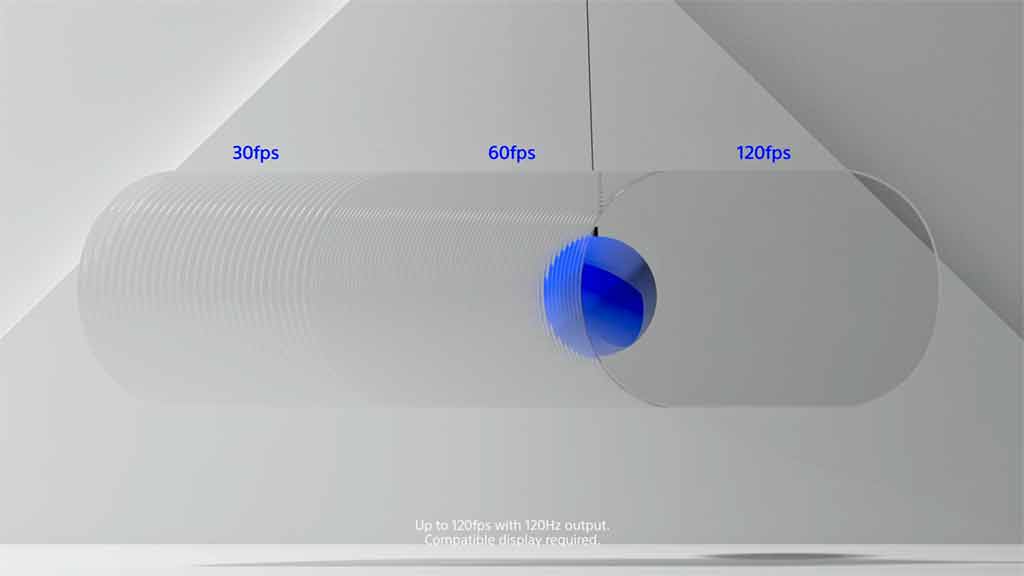
There are two display modes in PS5, performance mode and resolution mode. Performance mode in PS5 allows you to play games at higher FPS on PS5. It means you can play games at higher frame rate of 120 fps on your PlayStation 5. Higher FPS plays a massive role in fast-paced games such as call of duty, Marvel’s Spider-Man, etc. Performance mode offers a smooth gameplay experience so that you don’t miss any in-game action and is also good for competitive gaming.
Now, PS5 support 120Hz refresh rate; therefore, buying monitors having refresh rates beyond 144 Hz will not be a good investment as far as PS5 gaming is concerned. Consequently, we have chosen only monitors with a max refresh rate of 144 Hz.
Also, PS5 doesn’t support QHD resolution as of now. Therefore we have excluded the monitors having QHD resolution in this category.
We have handpicked the best Monitor for PS5’s performance mode. All the mentioned monitors have the following features in common:
- 144 Hz refresh rate
- IPS Display
- Full HD Resolution
So which Monitor is best for PS5 performance mode and provides the best bang for your buck? Here are the top four monitors which we think are the best monitors for PS5’s performance mode:
| Best Monitor for PS5’s Performance Mode, i.e. for higher FPS | Unique Features |
| LG 27GL650F-B Full HD monitor | HDR 10 |
| AOC 27G2 27″ Frameless Gaming IPS Monitor | 1ms response time |
| ASUS TUF Gaming VG279Q1R 27” 1080P Monitor | Built-In Speakers |
| Acer Nitro VG271 27 Inches Full HD Monitor | Built-In Speakers |
If you want any help setting up PlayStation 5’s performance mode, you can also check the following article containing information on how to use Performance mode in PS5.
Which Monitor is best for PS5’s Resolution Mode?

The Resolution mode on PS5 enables PS5 to output video games in 4K Ultra HD resolution. The 4K output comes at the cost of FPS in games, i.e., you can play 4K games on PS5 at 60 fps only. The games look way sharper, and the image quality looks crispier.
We have also chosen HDR 10 enabled monitors for this category as it dramatically enhances the picture quality and offers the best viewing experience and visual fidelity with vibrant colors.
All the mentioned monitors have the following features in common:
- 4K Ultra HD Resolution
- HDR 10
- IPS Display
So, which Monitor is best for PS5 Resolution mode and offers 4K resolutions? Here are our top four picks for the Monitors that we think are the best for PS5’s resolution mode:
| Best Monitor for PS5’s Resolution Mode, i.e. for 4K Ultra HD | Unique Features |
| LG 27UL500-W 27-Inch UHD Monitor | sRGB 98% Color Gamut |
| ASUS TUF Gaming VG289Q Monitor | 90% DCI-P3 Wide Color Gamut Built-In Speakers |
| LG 27UK650-W 27” Inch UHD Monitor | sRGB 99% Color Gamut |
| SAMSUNG 27” S70A Series 4K Monitor | TUV Eye Comfort Certified Eye Care |
As DCI-P3 is the latest standard in color gamut, you can look at DCI-P3 enabled monitors to experience a better color range and more vibrant colors.
Which Monitor is best for PS5 and has 4k and 144 Hz support?
This category contains that ‘have it all for your PS5 gaming experience. We are talking about 4K @ 120 FPS gaming to get the best experience that PS5 has to offer. Please note that if you play PS5 games on 4K @ 120 FPS, the console automatically turns off some extra features such as Ray tracing. The additional features such as Ray tracing are turned off so that PS5 can maintain 4K resolution with 120 frames per second.
Sony’s PS5 has also been updated to support VRR or variable refresh rates. VRR dynamically synchronizes the display’s refresh rate with the PS5 console’s graphical output to minimize screen tearing and visual artifacts. This enables PS5 games to run more smoothly as scenes are rendered seamlessly, and the graphics look crisper.
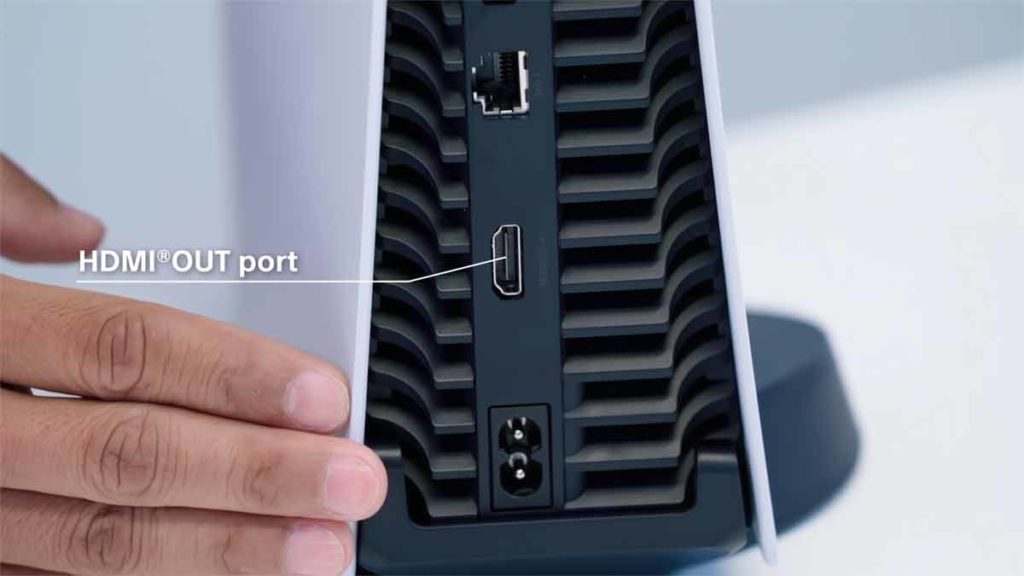
Please note that you have to use an HDMI 2.1 cable to connect your PS5 to your Monitor to experience 4K @ 120 Hz and VRR. You can use the original HDMI 2.1 which you received with your PlayStation 5 console.
You can check out the monitors below as they have all the features that you would want in a gaming monitor for your PlayStation 5. You can also switch between the PS5’s performance and resolution modes if you prefer one over the other.
The following features are present in all the monitors mentioned below:
- 4K Ultra HD Resolution
- 144 Hz refresh rate
- HDMI 2.1 support
- HDR 400
- VRR (Variable Refresh Rate) support
- AMD FreeSync Technology
- IPS Display
So, which Monitor is best for PS5 having both 4K resolution and 144 Hz refresh rate support? Here are our top four picks for the Monitors that we think are the best for PS5’s resolution mode:
| Best Monitor for PS5 having both 4K and 144hz refresh rate support | Unique Features |
| Acer Nitro XV282K 28″ UHD Monitor | 90% DCI-P3 Wide Color Gamut AMD FreeSync Premium Technology Built-In Speakers |
| Acer Predator XB283K 28″ UHD Monitor | 90% DCI-P3 Wide Color Gamut AMD FreeSync Premium Technology |
| ASUS TUF Gaming VG28UQL1A 28” 4K 144HZ Monitor | 90% DCI-P3 Wide Color Gamut AMD FreeSync Premium Technology Built-In Speakers |
| SAMSUNG 28″ Odyssey G70A Monitor | AMD FreeSync Premium Technology |
| GIGABYTE M28U 28″ Monitor | AMD FreeSync Premium Pro 94% DCI-P3 (120% sRGB) Wide Color Gamut |
Which Monitor is best for PS5 and has in-built speakers?
Sometimes you want a quick gaming session on your PS5 and don’t have the time to connect external speakers or headset with your PS5. You might want to relax and enjoy a quick gaming session without worrying about anything, as we know that monitors generally do not come with speakers.
We have handpicked the monitors for you, which come with built-in speakers. You can choose any monitor as per your liking and preferences. We have also mentioned the resolution and refresh rate alongside the Monitor to quickly select the Monitor you like.
Please note that the quality of monitor speakers may not be as good as your external speaker system, but they will serve their purpose for quick gaming sessions.
The following features are present in all the monitors mentioned below:
- Built-in speakers
- IPS Display
So, which Monitor is best for PS5 that has built-in speakers. Here are our top picks for the Monitors that have built-in speakers and we think will serve their purpose when the right time comes:
| Best Monitor for PS5 having built-in speakers | Features |
| ASUS TUF Gaming VG28UQL1A 28” 4K 144HZ Monitor | 4K UHD Resolution 144 Hz refresh rate 90% DCI-P3 Wide Color Gamut AMD FreeSync Premium Technology |
| Acer Nitro XV282K 28″ UHD Monitor | 4K UHD Resolution 144 Hz refresh rate 90% DCI-P3 Wide Color Gamut AMD FreeSync Premium Technology |
| ASUS TUF Gaming VG289Q Monitor | 4K UHD Resolution 60 Hz refresh rate HDR 10 90% DCI-P3 Wide Color Gamut |
| Acer CBL282K 28″ Monitor | 4K UHD Resolution 60 Hz refresh rate 90% DCI-P3 Wide Color Gamut |
| ASUS TUF Gaming VG279Q1R 27” 1080P Monitor | Full HD Resolution 144 Hz refresh rate |
| Acer Nitro VG271 27 Inches Full HD Monitor | Full HD Resolution 144 Hz refresh rate |
If you need any help connecting your PS5 to your Monitor, follow our detailed guide: How To Connect PS5 To Monitor? Using HDMI or a Display Port. We have also prepared a detailed tutorial for choosing the correct audio format with your PS5, and you can follow the complete guide at What audio format is best on PS5? Pick Right One.
If you want help connecting external speakers to PS5 then you may take a look at our guide on how to Connect Speakers To PS5.
FAQs for Which Monitor Is Best For PS5
Is a monitor better for PS5?
If you have an existing gaming setup alongside your PC, hooking up the PS5 console to the same Monitor might be better choice. Also, you can quickly switch between your PC and PS5 console on the same Monitor when you choose to. The Monitor can also offer a higher refresh rate which is not commonly found in the case of Television at the same price range.
We suggest that you think of your use cases as we described above, and if the monitor checks all the boxes, then go ahead and use a monitor with your PlayStation 5; we know that you will be happy with the choice you make.
Should I get a 144hz monitor for PS5?
Can a 144hz monitor run 120 fps on PS5?
Do you need a 120Hz monitor for PS5?
In theory, you can buy a 120Hz monitor for PS5, but we found out that there are not so many good options available at 120Hz. Therefore we recommend that you purchase a 144Hz monitor, which provides the best bang for your buck and is economically preferred.